
Selling on vBulletin with Ecwid
Ecwid will seamlessly integrate with your existing vBulletin site — there’s no need to create a store from scratch or deal with mounds of code. Sell your inventory from as many websites as you’d like; your Ecwid-powered vBulletin shopping cart can be managed conveniently from one location. Below is a simple step by step on adding e-commerce to your vBulletin site.
How to add Ecwid store to a vBulletin site
You can add your Ecwid store to a vBulletin site with the help of Ecwid integration codes (Ecwid for any website). You can get the integration code for your store in your Ecwid Admin panel.
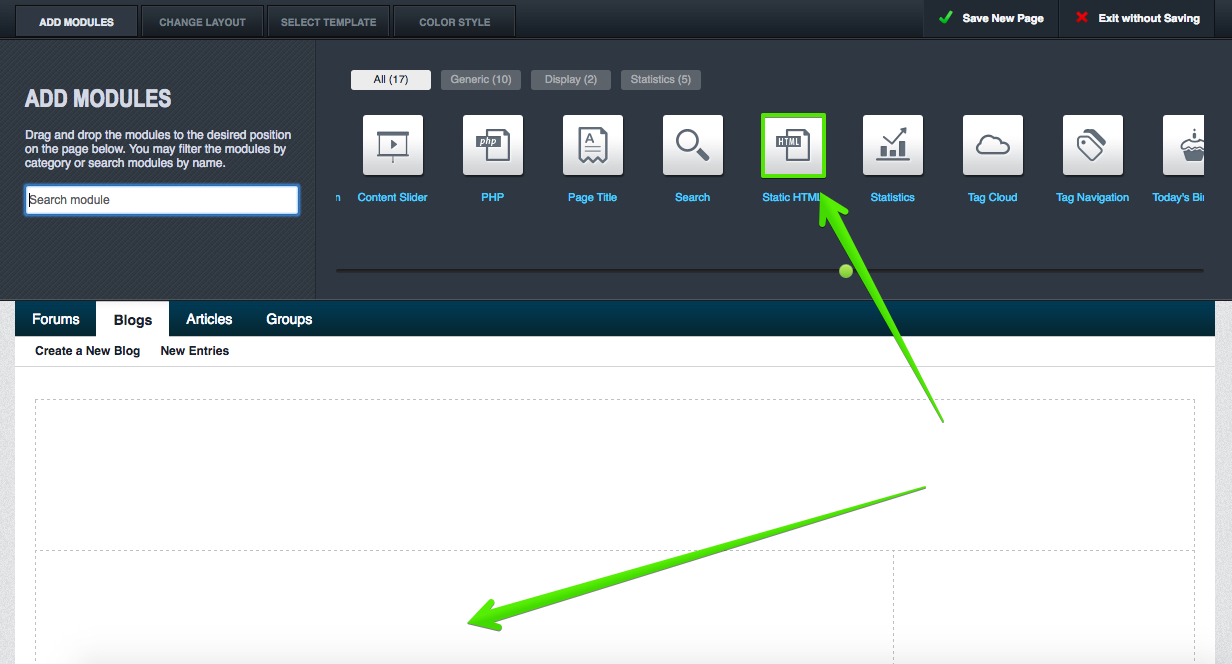
To add HTML widget for Ecwid store to your vBulletin site page find Static HTML module in the editor menu and drag it to the area on the page where you want the store to appear:
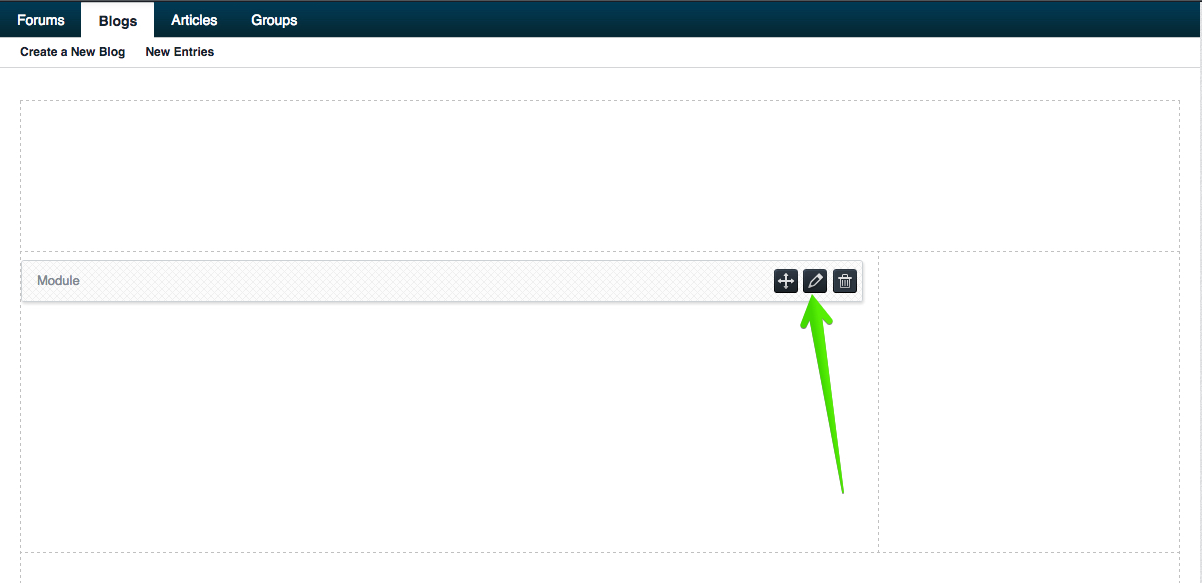
Click on the module pencil icon:
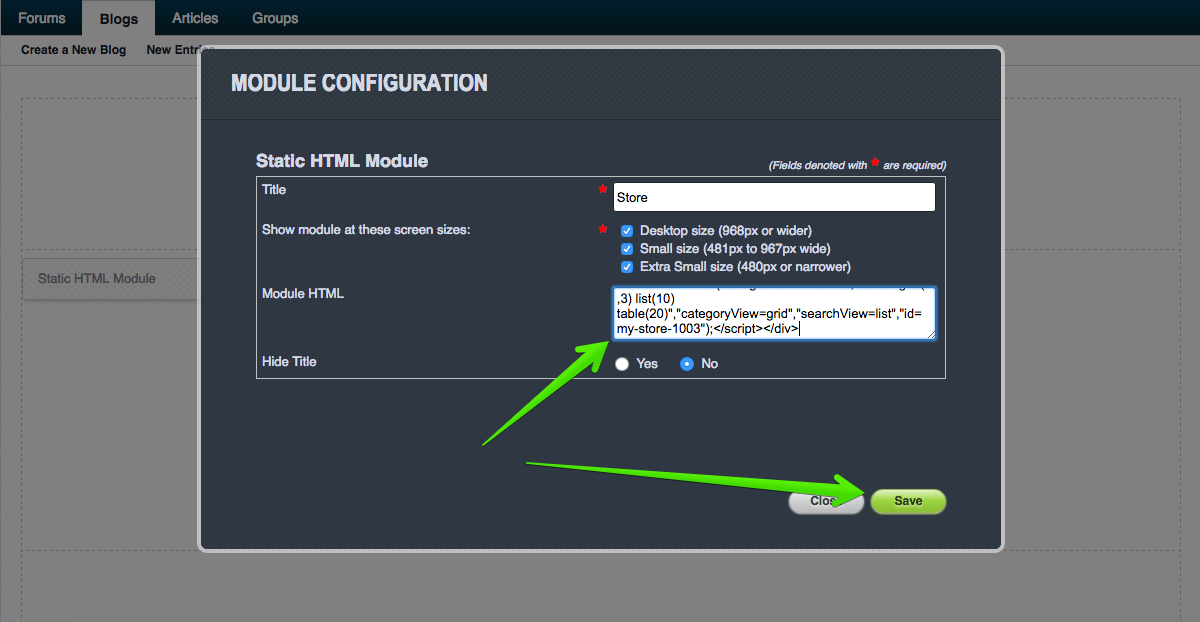
Add Ecwid Product browser code to the module HTML text field and save the changes:
The store will appear on the site after you save and publish the page.